This was my first write-up, for the Mirai box on Hack the Box. We will cover breaking in as user pi and recovering both flags, including a deleted root flag from a USB stick's raw block device.
Breaking In
First, we scan the server for open ports using nmap.
nmap -sV -sC -oA output 10.10.10.48
Options used:
-sV— determine service/version information-sC— use default scripts-oA— output in all three major formats at once
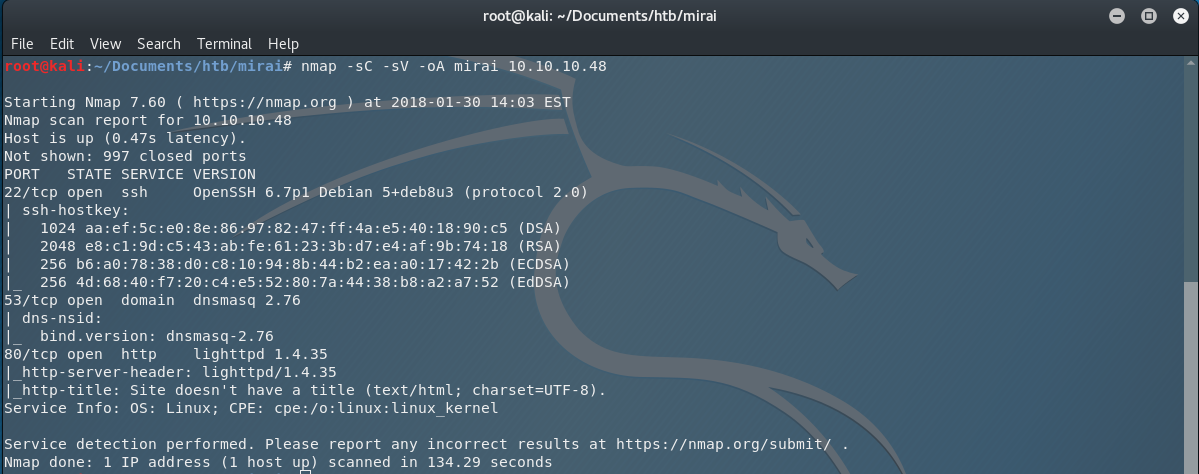
The scan reveals three active ports: 22 (SSH), 53 (dnsmasq), and 80 (HTTP).
Opening http://10.10.10.48:80 in the browser shows an empty page with nothing of interest in the source code.

We enumerate directories with dirb.
dirb http://10.10.10.48 -r -o mirai.dirb
Options used:
-r— no recursive scan-o— save results to output file
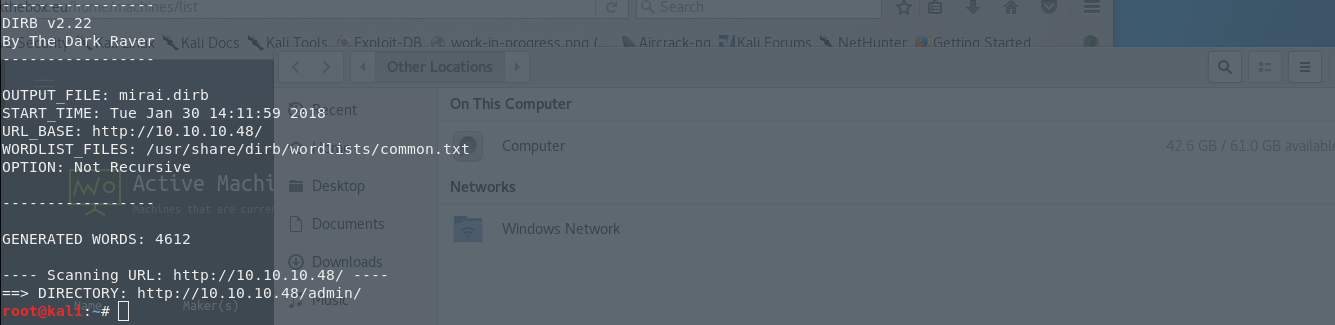
The scan surfaces /admin/. Opening it reveals a Pi-hole admin panel.

Pi-hole is an ad-blocking software commonly run on Raspberry Pi hardware. Knowing this, we searched for the default SSH credentials. The official Raspberry Pi documentation confirms the defaults: user pi, password raspberry.
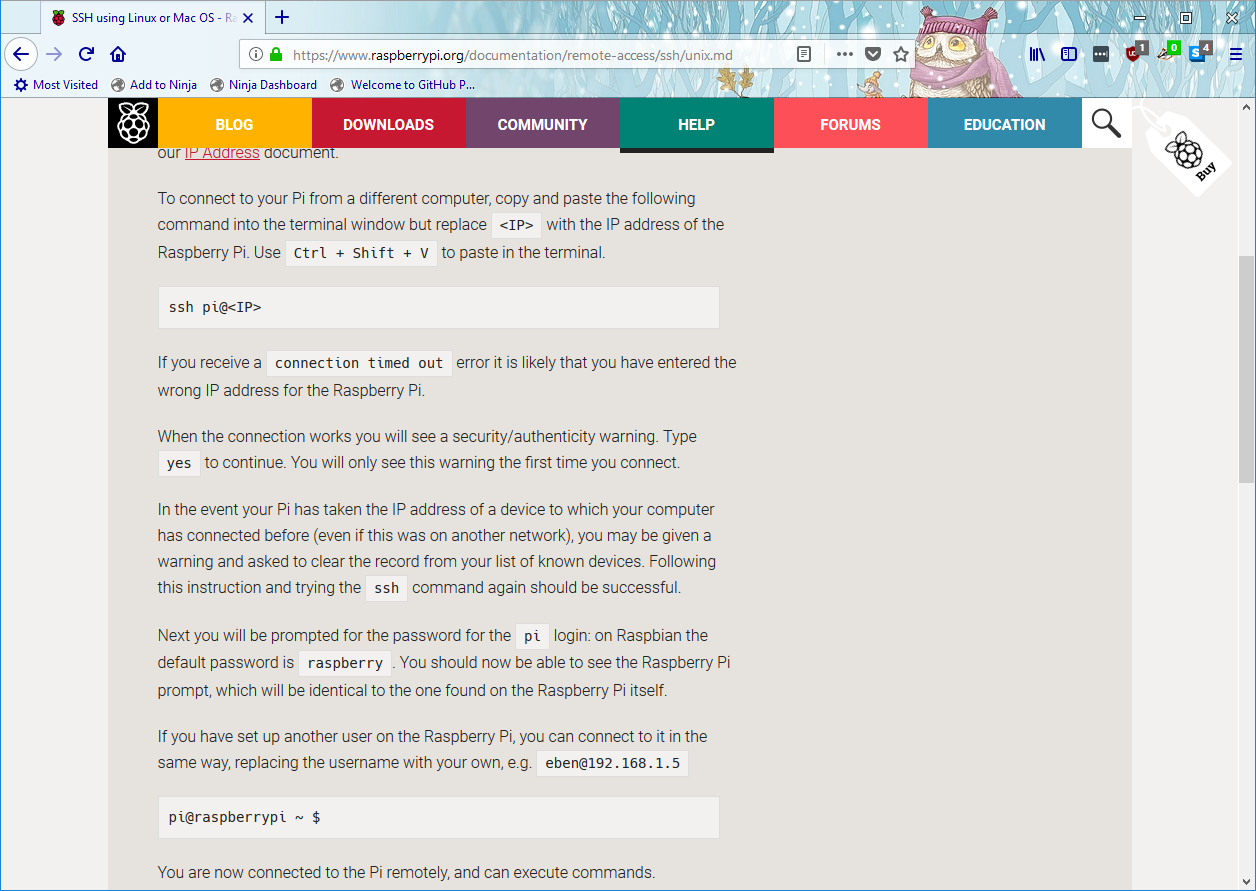
We try them immediately.
ssh pi@10.10.10.48
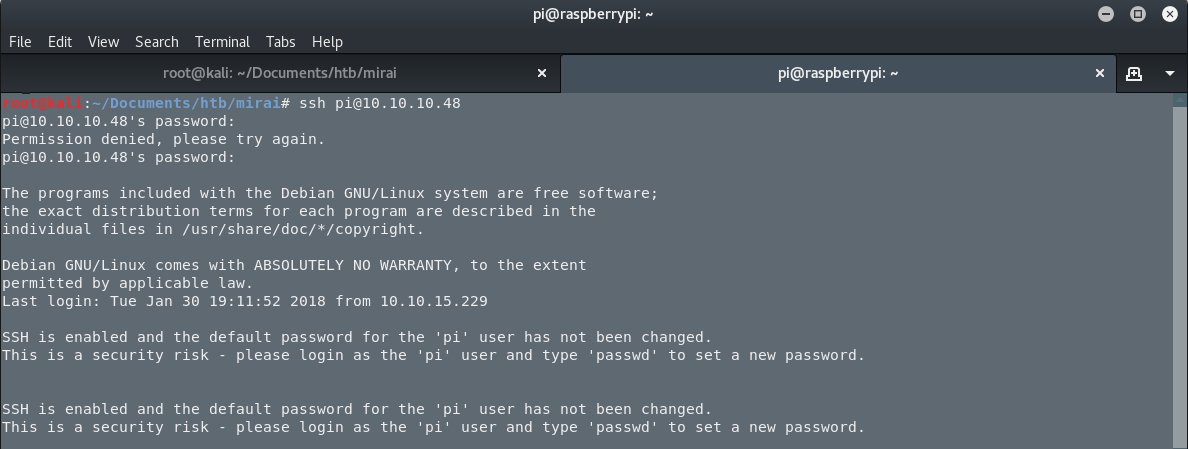
We are in.
Enumeration
We check our identity and privileges.
id

We have uid=1000(pi). Next, we check what commands we can run as root.
sudo -l

We can run all commands as root with no password. We escalate immediately with sudo -i and drop into a root shell.
Getting the Flags
Checking the root flag in root's home directory produces an unexpected message.

NoteI lost my original root.txt! I think I may have a backup on my USB stick.
We run mount to find any attached USB storage.
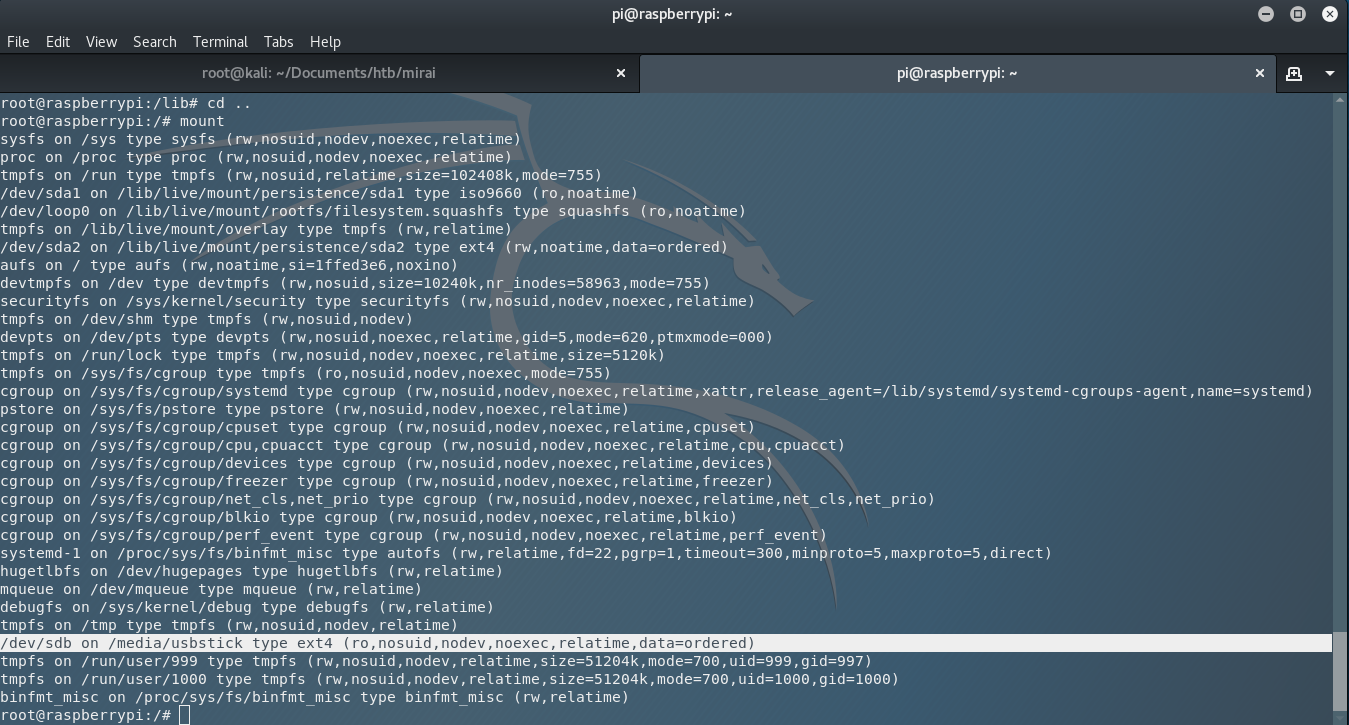
We navigate to /media/usbstick/ and read the only file there, damnit.txt.
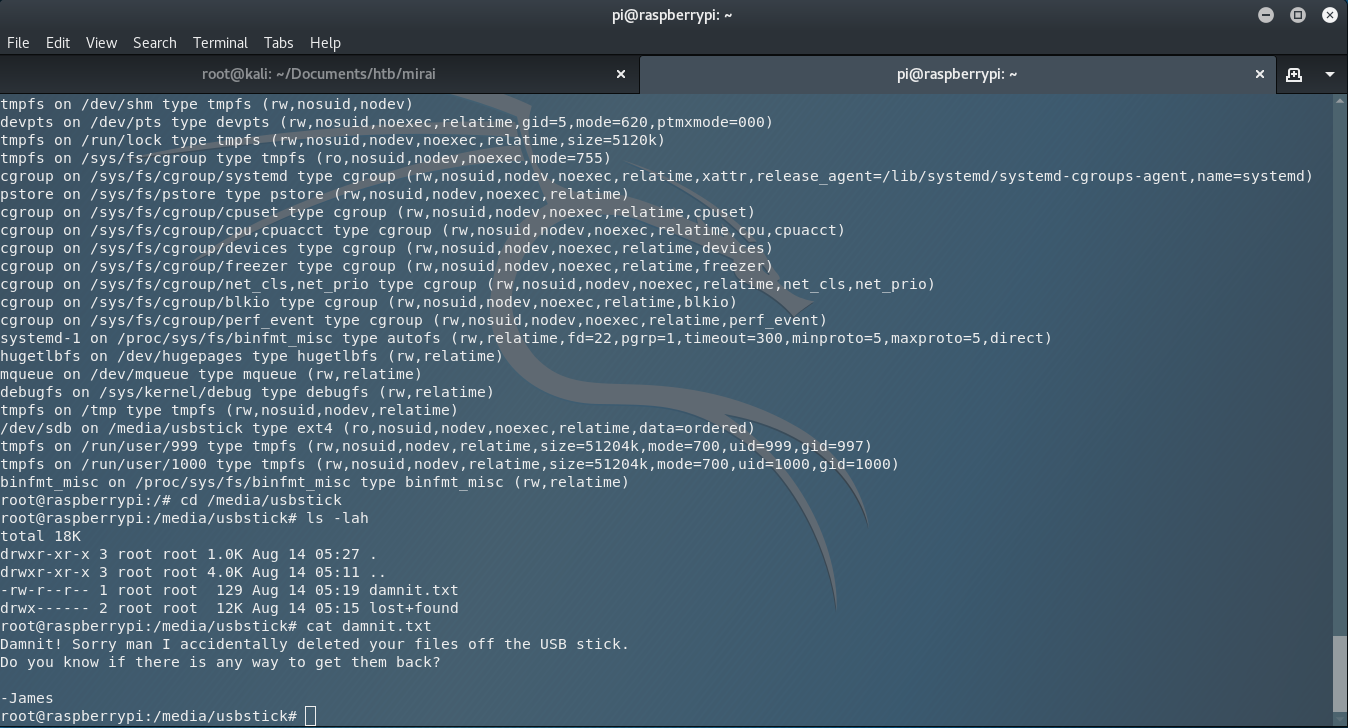
NoteDamnit! Sorry man I accidentally deleted your files off the USB stick. Do you know if there is any way to get them back? — James
The file was deleted, but in Unix everything is a file — including block devices. Deleted data often remains on the raw device until overwritten. We read the entire USB partition directly with strings.
strings /dev/sdb
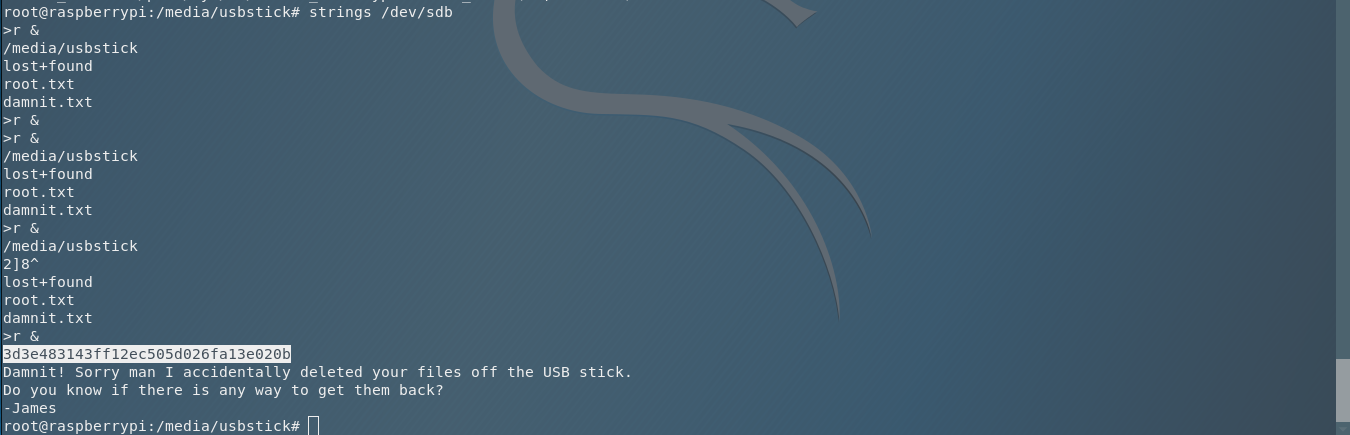
The root flag is recovered from the unallocated space of the device.
Finally, we grab the user flag from pi's home directory.

Both flags captured. Mirai is a straightforward box that teaches two important lessons: default credentials are dangerous, and deleted data is not always gone. Thank you for following along, be happy, and keep hacking.